

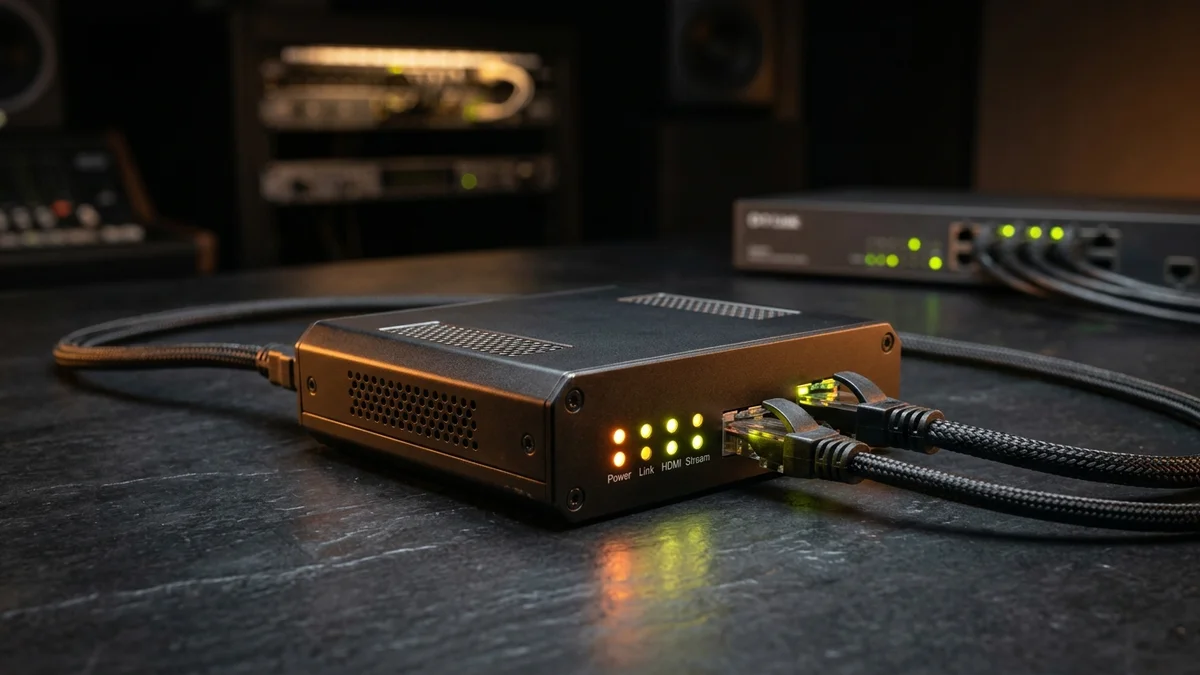
If you are asking an engineer to suggest a budget video encoder in 2026, the top single-channel hardware recommendation under $200 is the URayCoder HEVC H.265 1080p60/4K HDMI Video Encoder for its fanless 24/7 thermal stability and simultaneous multi-protocol output (UDP Multicast, HTTP-TS, HLS, RTMP, and SRT). For prosumer studio environments, the Kiloview E1/E2 series leads in low-latency NDI|HX and SRT reliability. Below, we compare the 7 best affordable streaming hardware encoders and explain how they fit into commercial IPTV business solutions.
Table of Contents
1. Quick Picks: Best Budget IPTV Encoders by Use Case
- Best Overall Budget Encoder ($145–$175): URayCoder H.265/H.264 1080p60 HDMI Encoder — Outputs 4 simultaneous streams per channel, passive aluminum heatsink, 5W power draw.
- Best Budget 4K UHD Encoder ($230–$270): URayCoder 4K UHD HDMI 2.0 HEVC Encoder — True 3840x2160 encoding with HDMI loop-out for local monitor pass-through.
- Best Prosumer / Broadcast Reliability ($299–$349): Kiloview E2 H.264 / H.265 Wired Encoder — Industry-leading SRT (Secure Reliable Transport) implementation and tally light support.
- Best 4-Channel Multi-HDMI Budget Headend ($420–$490): TBS2604 / URay 4-Channel HDMI Encoder — Encodes 4 separate HDMI sources into a single local M3U bouquet.
2. Technical Comparison Table of the 7 Best Budget Encoders
| Encoder Model | Max Resolution | Codecs | Supported IP Protocols | Est. Price |
|---|---|---|---|---|
| 1. URayCoder H.265 1080p60 | 1080p @ 60fps | H.265 / H.264 | HTTP, UDP, RTP, RTSP, RTMP, HLS, SRT | ~$159 |
| 2. URayCoder 4K HEVC Loop | 4K UHD @ 30/60fps | H.265 / H.264 | UDP Multicast, HTTP-TS, HLS, SRT, ONVIF | ~$249 |
| 3. Kiloview E2 / G2 | 1080p @ 60fps | H.265 / H.264 | SRT, NDI|HX, UDP, RTP, HLS, RTMP | ~$329 |
| 4. TBS2603se NDI/IPTV | 1080p @ 60fps | H.265 / H.264 | HTTP, UDP, RTP, RTSP, HLS, NDI | ~$179 |
| 5.iseevy H.265 HDMI Encoder | 1080p @ 60fps | H.265 / H.264 | HTTP, UTP, RTSP, RTMP, HLS | ~$135 |
| 6. Magewell Ultra Encode AIO | 4K / 1080p60 (HDMI+SDI) | H.265 / H.264 | SRT, HLS, ISS, RTSP, RTMP, NDI | ~$389 |
| 7. OBS Studio + NVENC (PC) | Up to 4K 60fps | AV1 / H.265 / H.264 | SRT, UDP, RTMP, RIST (via FFmpeg) | Free (Uses PC) |
3. What to Look for in a Budget H.265 IPTV Encoder
When converting HDMI to IPTV, always verify that the encoder supports H.265 (HEVC) alongside H.264. H.265 reduces network bandwidth consumption by roughly 50% at identical visual fidelity. Additionally, ensure the encoder outputs raw HTTP-TS (.ts) and UDP/RTP Multicast streams so Smart TVs and Firesticks can tune in directly without needing an intermediate media server.
4. Enterprise IPTV Business Solutions vs. Reseller Panels
Many commercial buyers researching hardware encoders also encounter the terms IPTV business solution and IPTV reseller panel:
- Hospitality / Enterprise IPTV Business Solution: Uses physical HDMI/SDI encoders (like the rackmount units above) inside a hotel, hospital, stadium, or corporate office to distribute local welcome channels and live feeds over the building’s LAN.
- Cloud IPTV Reseller Panel: A web-based subscriber management dashboard where administrators use wholesale credits to register new user lines, generate Xtream Codes API logins, and customize channel bouquets for end-user home IPTV subscriptions.
Frequently Asked Questions
For single-channel HDMI-to-IPTV streaming under $200, the URayCoder H.265/H.264 HDMI Video Encoder is the top budget choice because it supports simultaneous UDP multicast, HTTP-TS, HLS, RTMP, and SRT streams with passive fanless cooling for 24/7 operation.
Always choose an encoder that supports both H.265 (HEVC) and H.264 (AVC). H.265 delivers identical 1080p60 or 4K visual quality at roughly half the bitrate of H.264, while H.264 ensures backward compatibility with older set-top boxes.
An enterprise IPTV business solution uses local HDMI/satellite hardware encoders and middleware to distribute TV channels inside a hotel or office LAN, whereas an IPTV reseller panel is a cloud dashboard used to provision M3U and Xtream Codes subscriber accounts.
Ready to Experience Buffer-Free 4K & 60fps Streaming?
Activate your YEAH streaming subscription in minutes with Xtream Codes API & M3U credentials, full XMLTV EPG, and 24/7 technical support.
Related Tutorials & Guides
How to Convert HDMI to IPTV: Step-by-Step Setup Guide →
Learn how to wire your video encoder to an IGMP switch and create a local M3U playlist.
IPTV Trends 2026: AV1 Codec, 8K HEVC & Streaming Report →
See how next-generation video compression is cutting 4K and 8K streaming bitrates.